Your training · Larger-screen review
A wider view of your training.
See programme structure, compare completed sessions and follow a summary back to the work behind it.
Explore the portal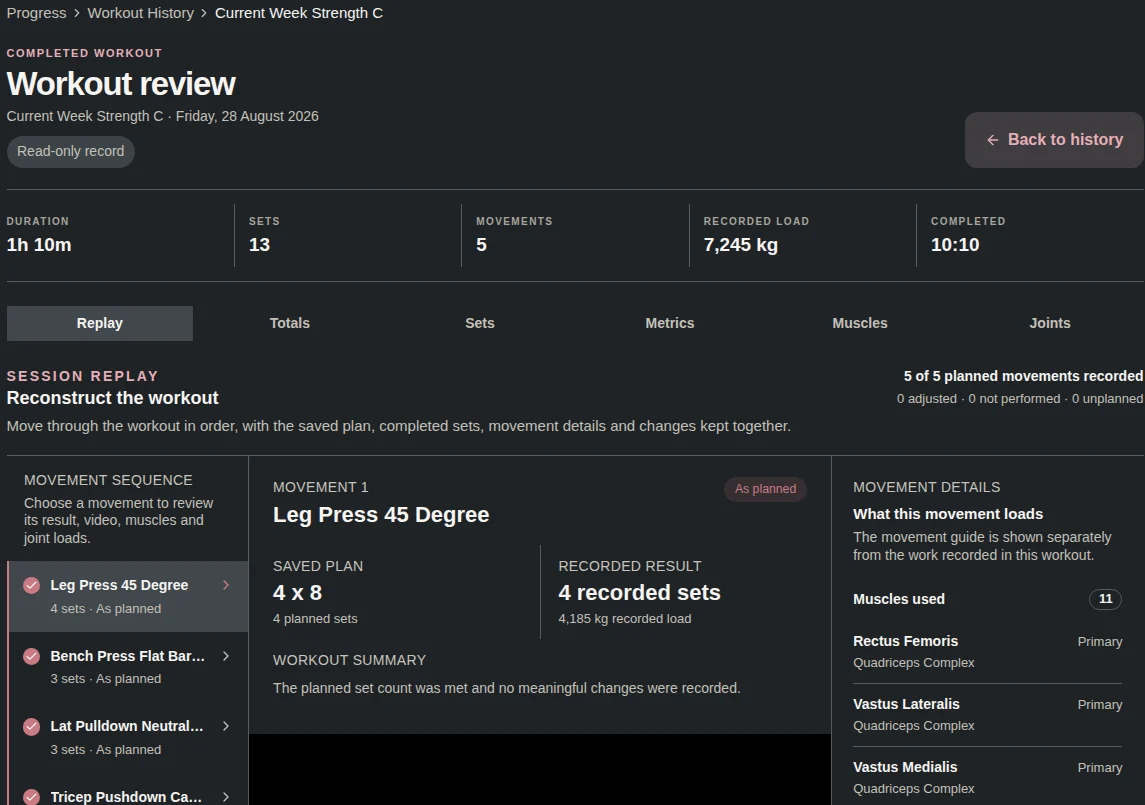
The portal
Programme structure and progress.
See the plan across sessions, weeks and blocks, with your completed work in the same record.
Your programme
Review the blocks, weeks and sessions before you start and as you train.
Calendar and scheduling
Look across your training week and move sessions when your schedule changes.
Progress overview
Review your chosen targets alongside the recorded sets behind the summary.
Continuity
Use the same programme and history you see on your phone. The portal gives you more space to review them.
The portal
Compare the plan with the record.
Training Atlas brings planned movements and completed sets into one view.
Planned, completed and difference
Switch between the authored plan and completed sessions to inspect what changed.
Movement involvement
Explore movement involvement across muscles, body areas and joints. Follow the relevant movements into their detail.
Coordinated scopes
Move between session, week, block and programme views.
Your judgement
An additional movement or a gap in the plan is something to inspect. The comparison describes your record; you decide what it means for your next choice.
The portal
Open the detail.
Follow a summary to the sessions, movements and sets that produced it.
Session Replay
Reconstruct a completed workout with the sequence, plan, recorded sets and movement detail together.
Movement and anatomy
Explore coaching material and 3D muscle and joint views alongside the wider movement reference.
Lift and body records
Review accepted strength records, lift history and body measurements over time.
Your settings
Manage training priorities and targets, with the same choices available in the mobile experience.
Programme and training evidence
See the plan and the work behind it.
Review active and completed programme charts, then inspect completed sets in the separate training coverage view.
Active programme
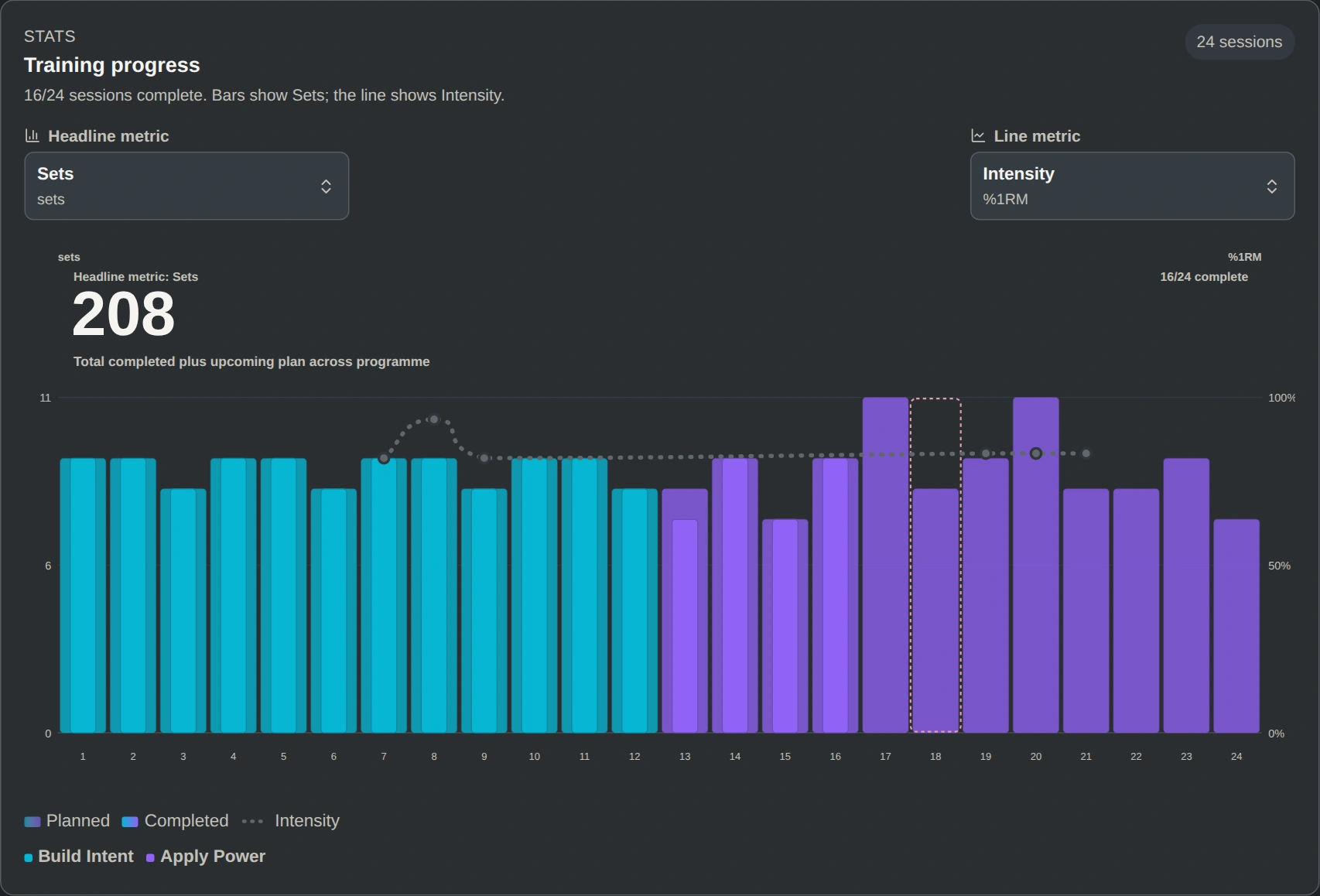
An active programme in context
Practical Power: Foundation Block shows 16 of 24 sessions completed across Build Intent and Apply Power. Bars show total sets, and the line shows intensity.
Completed programme
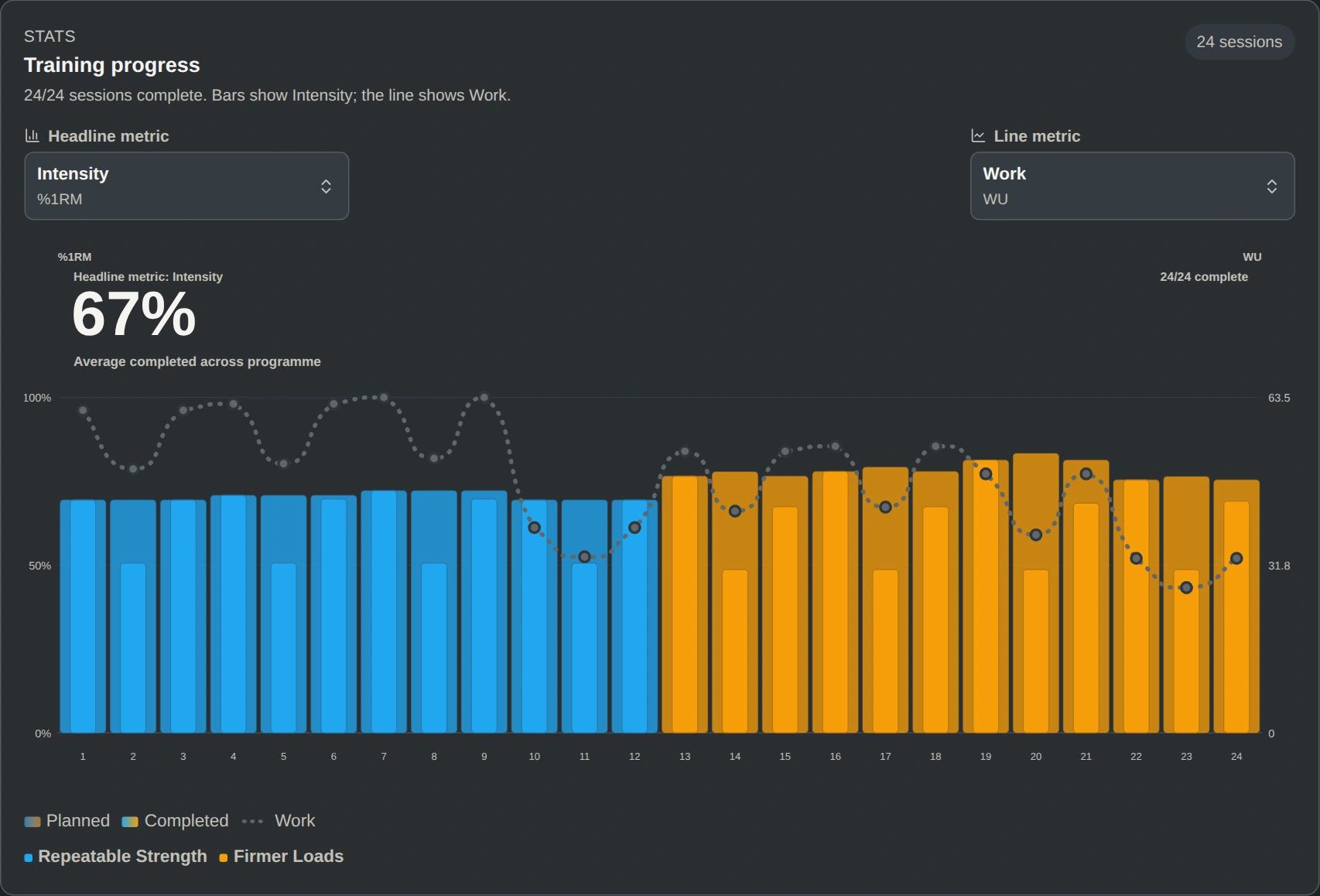
Completed programme on a larger screen
Review the same Strength After 50: Strength Builder sample in the portal, with all 24 sessions completed across two blocks.
Completed training
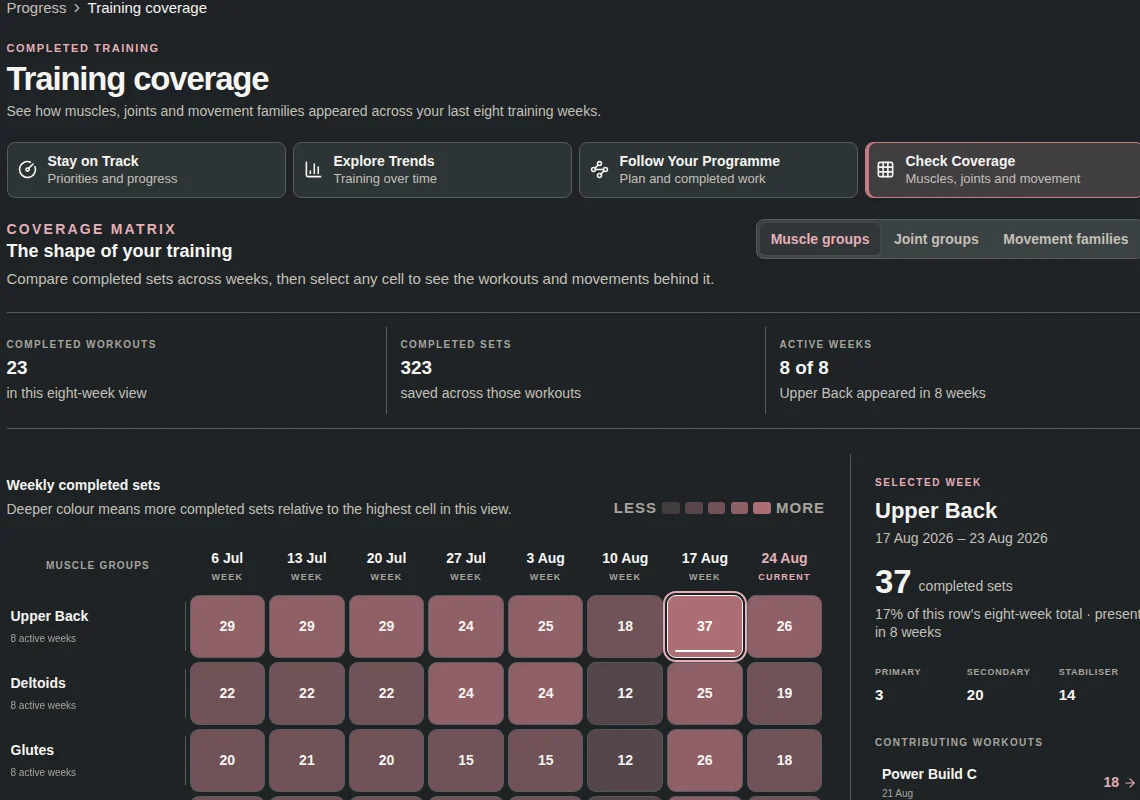
See the work behind a summary
Training coverage groups completed sets by week and muscle group, then lets you inspect the workouts behind a selected cell.